In order to play games on The Games Channel, you need to create a Player's Profile by completing the Registering A Profile form. It is a good idea to do this before you download the software. You will be able to modify, view and create subsequent profiles via The Games Channel once you have successfully registered an initial profile and downloaded the software. Please remember to include your email address when registering as confirmation of your details will be emailed to you for verification.
ACCESSING PROFILES

Select the PROFILES button from the tool bar as shown in the above image. The following screen will be brought up.
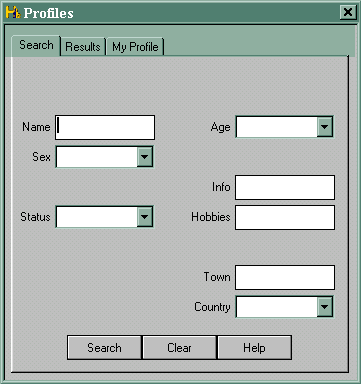
Fill in your search criteria in the relevant field(s) and click on the SEARCH button.
The results of your search will be shown in the following screen:
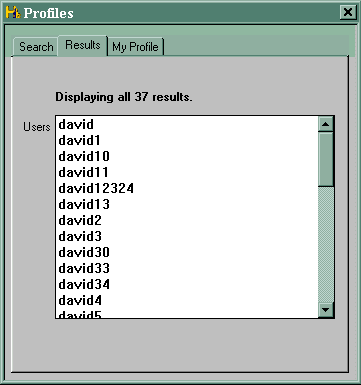
Double click on the name of your choice from the list brought back from the search in order to view that particular user's profile details.
EDITTING YOUR PROFILE
In order to edit or view your own profile, select the PROFILES button from the toll bar then select the MY PROFILE tab.
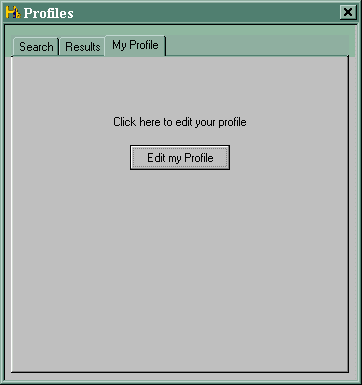
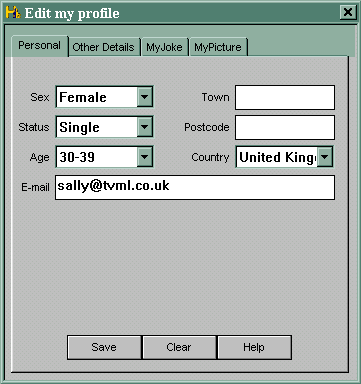
Click on the EDIT MY PROFILE button to view the contents. These will appear in a format similar to that shown in the following image.
N.B.
You will note that your email address is visible on the above screen. Rest assured that only you can see this field; it is not visible to other Games Channel users. However, it is important that you include your correct email address so that The Games Channel servers can send you information on future updates, forthcoming tournaments, password reminders and so on.
The first time you view your profile, you will note that it contains only the information originally entered on your Registration form. You can include additional information on yourself such as hobbies, likes and dislikes, favourite places/sayings, jokes, a picture and any other general information you would like to share with other users of The Games Channel. Scroll through the index tabs and fill in the fields of your choice. Should you wish to upload a picture, please note that this should be in a "yourname.jpg/jpeg" format.
Please remember that this is a family-orientated Games Channel and we would ask that you follow our CODE OF CONDUCT. We will have to ask you to remove any unsuitable material as a matter of urgency.